Pinterest Image Downloader HD – Free Online Tool
In short: PinSaver lets you download Pinterest images and pins in original HD quality — no login, no watermark, works on mobile and desktop. Best for designers, marketers, and anyone saving Pinterest boards for offline use or reference.
Save any Pinterest image to your phone or PC in full HD quality — no watermark, no account, completely free. Works on Android, iPhone & Desktop.
What Is a Pinterest Image Downloader?
A Pinterest image downloader is a free online tool that lets you save any Pinterest photo or pin directly to your device using its link. Pinterest doesn't allow you to right-click and save images natively — and even when it does, the quality is often reduced.
PinSaver solves this by extracting the full-resolution original image directly from Pinterest's servers and delivering it to your device — clean, watermark-free, and at the highest available quality. No app installation, no account, no hassle.
Whether you want to download a single pin for a mood board, save recipes for offline use, or collect design inspiration — PinSaver is the fastest and easiest way to download Pinterest images online.
How to Download Images from Pinterest
Download any pin using our online Pinterest image downloader in 3 simple steps — takes under 30 seconds.
To download images from Pinterest, copy the image link, paste it in the input field above, and click Download. PinSaver extracts the original high-resolution file directly from Pinterest.
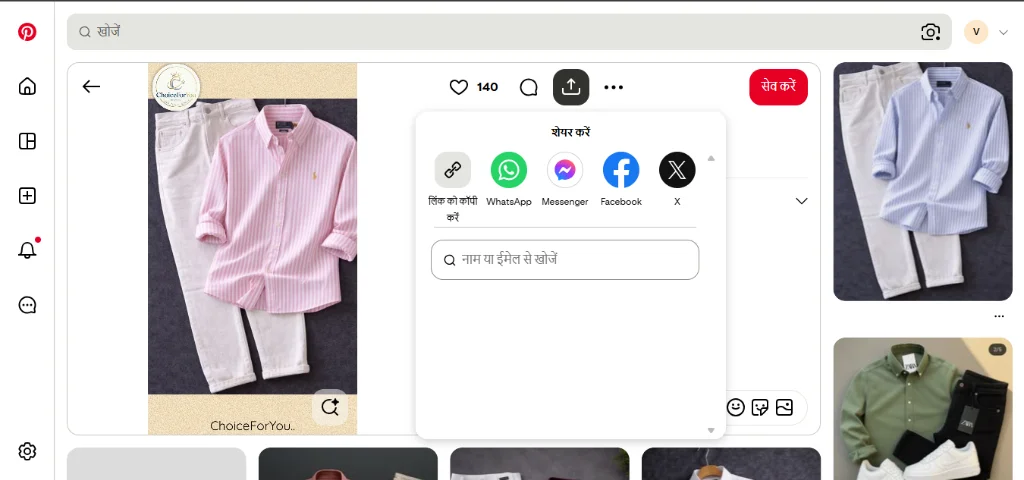
Copy the Pinterest Link
Open Pinterest (app or browser). Tap on the image you want. Tap the Share icon (•••) and select Copy Link.
💡 Works with pin.it short links too.
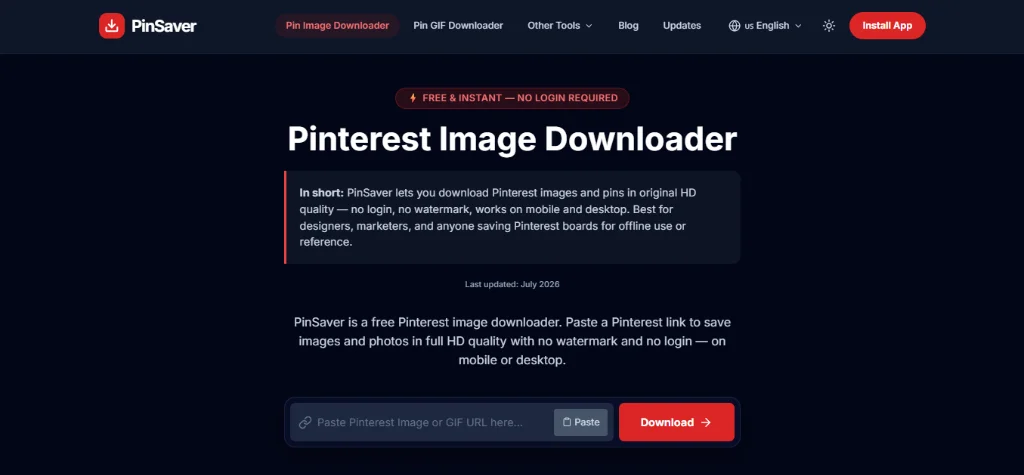
Paste the Link Above
Come back to PinSaver. Paste the copied Pinterest URL into the download box at the top of this page.
💡 The tool auto-detects image or video pins.
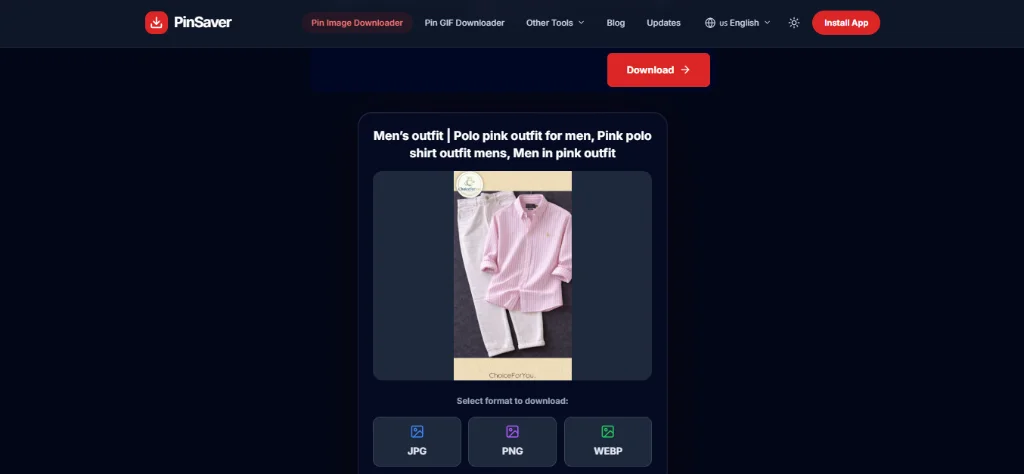
Click Download & Save
Hit the Download button. Your Pinterest image will be saved in full HD quality, without watermark directly to your device.
💡 On iPhone, tap and hold the image → Save to Photos.
📱 How to Download Pinterest Images on iPhone
Open the Pinterest app → Find your image → Tap the Share (•••) icon → Copy Link → Open Safari → Visit pinsaver.online → Paste link → Tap Download → Long-press the image → Save to Photos.
🤖 How to Download Pinterest Images on Android
Open Pinterest app → Tap the image → Tap Share → Copy Link → Open Chrome → Go to pinsaver.online → Paste link → Tap Download → Image saves to your Gallery / Downloads folder.
💻 How to Download Pinterest Images on PC / Desktop
Open Pinterest in your browser → Click the pin → Copy the URL from the address bar → Go to pinsaver.online → Paste the URL → Click Download → Image downloads to your Downloads folder in HD.
Features of PinSaver Pinterest Image Downloader
Everything you need to save Pinterest photos — nothing you don't.
Full HD Quality
Downloads images at the highest available resolution — exactly as the creator uploaded them, no compression.
Zero Watermark
Your downloaded image is clean and original — no PinSaver branding, no Pinterest overlay, nothing added.
Instant Downloads
Processing takes under 3 seconds. Paste a link, click download — your image is saved immediately.
No Sign-Up Ever
No account, no email, no Pinterest login needed. Just paste and download — forever free.
Privacy-First
We never store your links or data. All requests are processed and discarded instantly.
All Devices Supported
Works on iPhone, Android, Windows, Mac, and any tablet — via any modern web browser.
Short Link Support
Supports both full Pinterest URLs (pinterest.com/pin/…) and short links (pin.it/…).
Supported Quality & Formats
We provide the highest quality downloads for all types of Pinterest images.
Supported Qualities
- Original Resolution: Exact quality as uploaded by creator.
- HD (1080p+): Perfect for wallpapers and large screens.
- Lossless: No compression applied during download.
Supported Formats
Install the PinSaver App
Did you know you can install PinSaver directly on your phone? Get the full PinSaver App experience without visiting the App Store. It's fast, lightweight, and always one tap away for all your Pinterest image downloads.
Why People Download Pinterest Images
People download Pinterest images to save design references, recipes, DIY guides, and aesthetic inspiration for offline access. Local downloads ensure your saved ideas are permanently accessible even without an active internet connection.
Millions of users save Pinterest photos every day for creative and personal projects. Here's what's most popular:
Supported Devices & Platforms
PinSaver works on every device and browser — no installation needed.
Chrome, Firefox
Safari, Chrome
Chrome, Edge
Safari, Chrome
Firefox, Chrome
All browsers
Is PinSaver Safe to Use?
Yes, PinSaver is completely safe to use because it requires no account sign-up, stores no personal download data, and operates over a secure HTTPS connection. The tool is verified clean and works directly in your browser.
Yes — PinSaver is completely safe. Here's why millions of users trust us:
- ✅ We never ask for your Pinterest username or password.
- ✅ We never store, track, or share any of your data or download history.
- ✅ All image processing happens in real-time and is discarded immediately.
- ✅ Our site runs on HTTPS with full SSL encryption.
- ✅ No pop-up ads, no malicious scripts, no hidden downloads.
- ✅ Verified clean by Google Safe Browsing.
Start Downloading Pinterest Images Now
Free, fast, and watermark-free. Save any Pinterest image in HD — no sign-up, forever free.
What's New Here!!
Stay updated with the latest features, bug fixes, and improvements in PinSaver.
Copyright FAQ & Content Clarity
Added a detailed copyright compliance guide regarding Pinterest downloads and updated page headings for cleaner structure and readability.
Performance & AdSense Integration
Integrated responsive AdSense units, fixed PWA installation prompt bugs, resolved API routing, and fixed redirection toast reset bugs.
Global Multi-Language Support
Added full support for 22 languages with automatic IP-based country detection and RTL support for Arabic and Urdu.
Direct App Installation (PWA)
You can now install PinSaver directly to your device home screen for quick, app-like access.
Agentic Backend Architecture
Completely rebuilt the backend with an intelligent 3-stage agent pipeline for flawless downloads.
Is Downloading Legal?
Downloading Pinterest images is legal for personal, non-commercial use and offline reference. However, distributing or using downloaded images commercially without the owner's permission violates copyright laws.
Use PinSaver for personal use only. If you are downloading content from a creator, please respect Pinterest's copyright guidelines. Do not re-upload or use any image for commercial purposes without the owner's permission.
Is PinSaver Right for You?
Best for: Designers, social media managers, content creators, and mood-board builders.
| Feature | PinSaver | Manual Save |
|---|---|---|
| Image Quality | ✨ Original HD Quality | Compressed/Low Resolution |
| Watermark | ❌ No Watermark | ✅ Yes (on downloaded files) |
| Login Required | ❌ No Account Needed | ✅ Must be Logged In |
| Bulk Download Support | ⚡ Works in Bulk / Fast | ❌ One by one only |
Frequently Asked Questions
Everything you need to know about downloading Pinterest images.
Copy the Pinterest image link (tap Share → Copy Link), paste it into PinSaver's download box at the top of this page, and click Download. The image saves to your device in HD without watermark.
Yes. PinSaver downloads the original Pinterest image as-is — no watermarks, logos, or branding are added to your download. The file you get is the original image.
100% free. There's no subscription, no hidden charges, and no daily download limit. PinSaver has always been free and always will be.
Open the Pinterest app on your iPhone → Find your image → Tap the Share icon (•••) → Copy Link → Open Safari → Visit pinsaver.online → Paste the link → Tap Download → Long-press the image that appears → Tap "Save to Photos".
PinSaver automatically fetches the highest resolution version of any Pinterest image. You always get the original full-quality file — no compression, no quality reduction.
Pinterest disables right-click image saving to protect creator content. Even when right-click works, the saved image is often low resolution. PinSaver bypasses this by extracting the original full-resolution file using the pin's URL.
Yes. Open PinSaver in Chrome on your Android phone, paste the Pinterest link, and tap Download. The image will be saved directly to your Downloads folder or Gallery.
PinSaver downloads Pinterest images in JPG, PNG, WEBP, and GIF formats — depending on what the original pin was uploaded in. You always get the file in its original format.
No, images on Pinterest are not automatically copyright-free. Copyright belongs to the original creators or copyright owners. While downloading images for personal, non-commercial reference is generally low-risk, reusing, republishing, or sharing them commercially without the owner's explicit permission can lead to copyright infringement.